
The Denver County Court Calendar
Denver publishes calendars through two systems because its courts answer to different administrations. The Denver County Court Docket Search posts the daily list for the local county court. That one court handles a wide mix. Municipal matters, state misdemeanors, traffic, small claims, lower-value civil, protection orders, and preliminary felony work all land there. To search it, you need both a courtroom and a date. Once results load, the table search box filters them, and printing is an option.
Denver District Court carries felony merits cases, larger civil filings, and domestic relations. Probate and juvenile matters sit elsewhere. They occupy their own state-administered Denver courts. Those settings show up in the Colorado Judicial Branch Docket Search. Treat that tool as a calendar only. It is not a free statewide Register of Actions. It lists settings. Need a filed pleading, an order, or a certified copy? Ask the clerk directly.
Denver County Daily Docket Search
The daily docket works best when you know the courtroom. Its room menu skips plain division names. Labels stand in instead. Expect entries like 100K, 104B, 159, 175T, 335, 479, DMHC, and ESCUR. Pick the label exactly as it appears on your notice or case schedule. Choose a date. Run the search. Columns cover the case number, booking or ticket identifier, party name, status, language, case type, scheduled hearing, time, disposition, domestic-violence flag, counsel, and date of birth.
The official daily docket screen shows how Denver County Court pairs each courtroom with a date.
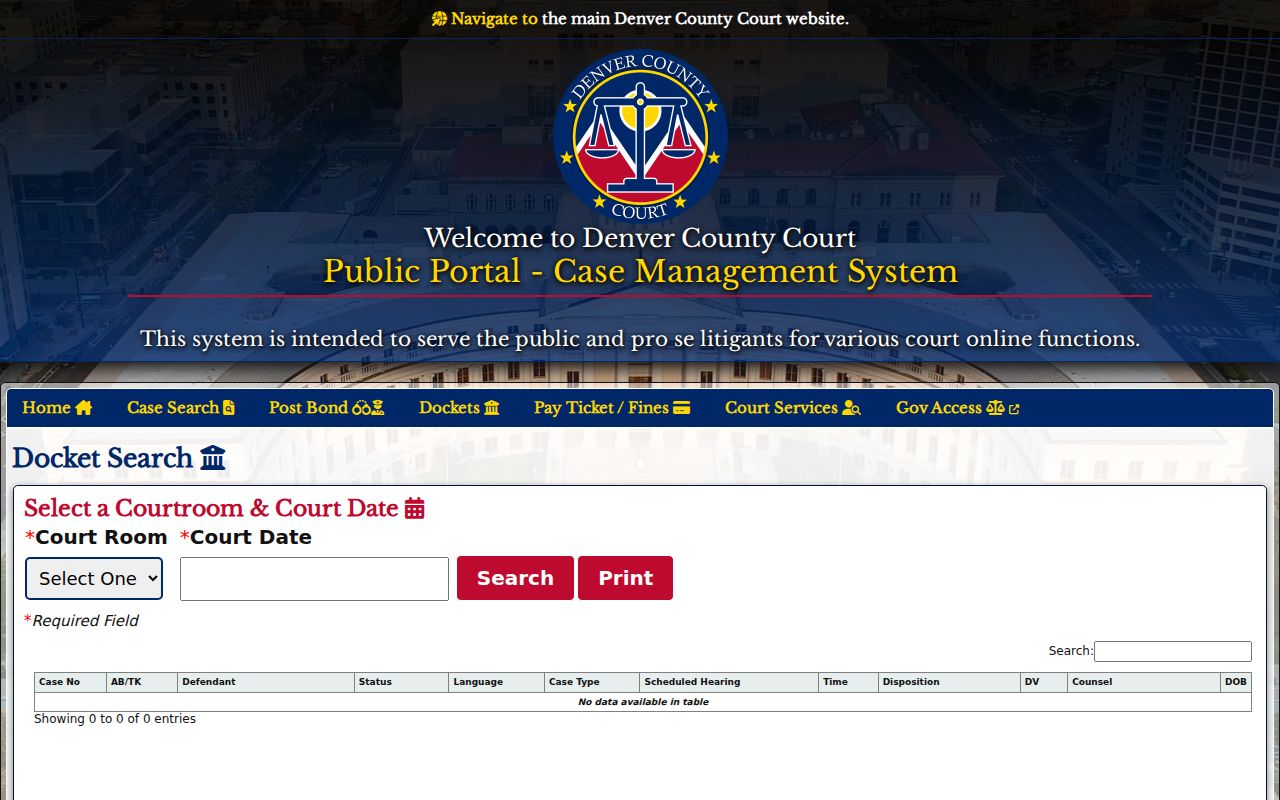
Remember, this view covers one courtroom for one day. Anyone tracking a single case should open the case schedule too. That screen sets the next event beside the rest of the local case information.
How to Find Your Court Date
Pull every detail off the court notice before picking a channel. The phrase "Denver court" alone will not do. County Court and the state courts rely on different tools, case codes, and clerks. A future-date name search is narrower still. It returns only active settings ahead.
- Read the court name, case number, and case-type code on the notice or citation. Denver County Court numbers commonly use GV, GS, or D forms, while state cases use a year, class code, and sequence.
- For a known County Court number, open the Public Portal Case Schedule. For a courtroom list, search the local daily docket by room and date.
- If the local number is unknown, use the future-date tool with last name, first name, and date of birth. Civil users may search an active future date by an individual's name or a business name.
- For District, Probate, or Juvenile settings, use Colorado Judicial Docket Search with a date and at least one more filter, such as Denver, court type, division, or case number.
- If a result is absent or unclear, call or visit the owning clerk. Criminal and municipal matters route to Room 160 at 720-337-0410. Traffic and County Civil matters route to Room 135 at 720-865-7840. Denver District routing starts at 303-606-2300.
- Record the date, time, hearing type, location, courtroom, and appearance mode. Recheck within 48 hours and ask counsel about any conflict or instruction tied to the case.
The clerk counter remains the dependable in-person option. The state tool also offers a printable version. Print it, and the setting found online stays on paper.
Denver Calendar Appearance Labels
A date by itself will not get you there. The state result lists an appearance type, and the local court may post a virtual option when the judicial officer turns one on. Read the full setting before you plan the day. IN PERSON means the listed courthouse and courtroom. TELEPHONE points to a remote method, but the real instructions come from the case notice or the clerk. A public stream exists for watching only. It never converts a required appearance into remote attendance.
- Status conference
- A hearing used to check the case's posture, readiness, and next steps.
- Advisement
- A criminal setting at which the court explains the charge and rights.
- Noncontested hearing
- A setting for a matter that is not opposed on the current record.
- Initial conference appearance
- An early domestic-relations setting used to organize the case.
- Review
- A later hearing that checks compliance with an order or program.
Appearance labels describe a setting's purpose, not a case result. A status event may simply produce another date. A review can stay on the Denver County court calendar with no trial set at all.
Reading a Court Setting
A Denver calendar line packs several facts into one small entry. Read them together. The Colorado Judicial result can show expected duration and the caption too. A County Court daily docket adds operational fields, such as language and status. Keep the court name with the case number. A County Court setting can be mistaken for a District Court event.
| Date | The listed calendar day. Check for a later reset before treating it as current. |
|---|---|
| Time | The time assigned to the hearing or docket call, not an estimate of when all business will end. |
| Courtroom | The published room or division. Room 135 or 160 may be a clerk-room placeholder that changes near the event. |
| Judge | The judicial officer or division responsible for the setting when the calendar provides it. |
| Setting Type | The purpose, such as advisement, status conference, motion hearing, trial, sentencing, or review. |
| Appearance | The required mode, such as IN PERSON or TELEPHONE, where the state calendar supplies it. |
To dig further into a case number or event history, try the Denver County case search. If online fields clash with a newer notice, the court or clerk wins.
Denver State Court Calendar Filters
The state tool requires a date plus at least one more filter. Choose the Second Judicial District or Denver. Then narrow things by courthouse, court type, division, or case number. Denver shows up under District, Juvenile, and Probate location choices. Courthouse filters separate the City and County Building, Lindsey-Flanigan, Denver Juvenile, and Denver Probate. A case number goes in three parts: a four-digit year, then class, then sequence.
The Colorado Judicial calendar interface displays the date and location filters used for Denver state settings. Its Printable Version helps you keep a result.
Treat any result as a time-and-place reference. This screen does not offer a free statewide ROA. When the local docket's Language field signals a need, Colorado posts a separate court interpreter access route. For the filing behind a setting, send a record request to the right clerk. A calendar row is never the full court file.
Resets, Continuances, and Cancellations
A reset or continuance means the event slid to a new date. The Register of Actions keeps the old setting in the case history. So the first date you spot in a Denver County docket search may be dead. Find the newest schedule entry instead. Check for any notice or minute order tied to the change. Cancellations deserve the same check through the live calendar or the clerk. Missing court can carry real consequences. Denver has a local trap worth knowing. County Court warns that Room 135 and Room 160 are clerk offices, not fixed courtrooms. A docket listing either one can be reassigned within 48 hours. Confirm the setting right before you appear. If the room still seems off, call the criminal or civil clerk for that case type. Do not read a dismissal into an older event that moved or dropped out of a future-date search. Note: The newest confirmed setting controls. An older date may remain as part of the Denver County docket history.
Denver Virtual Court Calendar Access
Denver County Court runs a courtroom directory for public virtual viewing, but a stream only works when the judicial officer turns it on. Delays and outages happen. Sensitive proceedings may not be streamed at all. So treat the calendar and case schedule as the tools that identify the right courtroom and hearing, and never assume that watching a stream satisfies a summons, notice, or required appearance. The official Denver Virtual Court directory lists each courtroom's stream path along with the rules for public viewing. Denver County Court also posts its rules and administrative orders, which spell out the current local procedure for access.
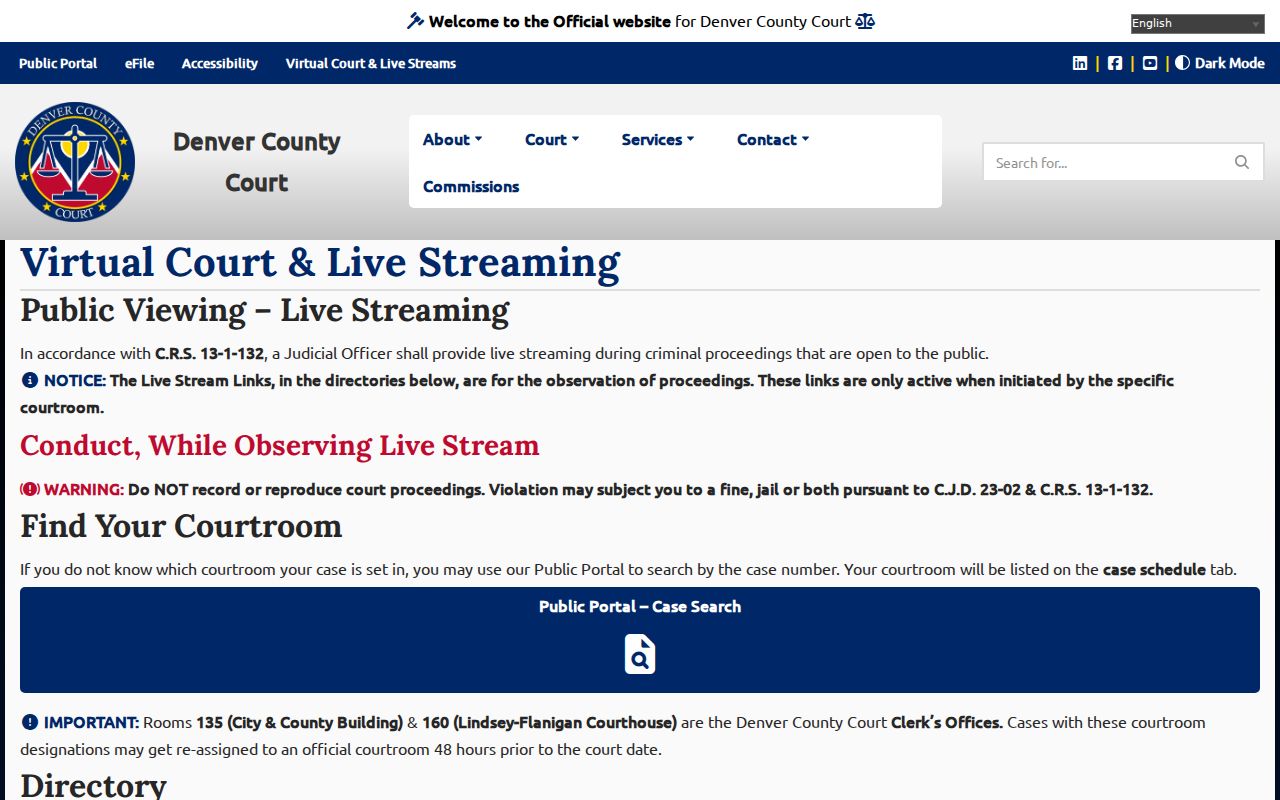
The directory is a matching tool. It pairs a calendar entry with an available stream. Colorado law and CJD 23-02 forbid unauthorized recording or reproduction of streamed proceedings, so public access never includes permission to capture the hearing.
Confirm a Denver County Setting
When the court name, room, appearance type, or latest date stays unclear, call the clerk. Denver County Court's Criminal and Municipal Clerk's Office sits in Room 160 at the Lindsey-Flanigan Courthouse, 520 West Colfax Avenue. It answers 720-337-0410. The Traffic and Civil Clerk is in Room 135 at the City and County Building, 1437 Bannock Street. That number is 720-865-7840. Both counters also let you confirm a local setting in person. Denver District Court records and routing live in Room 256 of the City and County Building. Its published phone is 303-606-2300. Probate and Juvenile settings belong to their own separate state courts. A mailed or emailed document request can pull the notice or order behind a calendar entry. It will not settle a same-day appearance fast. For an urgent date question, rely on the current portal result, the right clerk's phone or counter, and any instructions from counsel.
What To Do If You Miss a Setting
Act promptly. Pull up the current County Court schedule or the Colorado Judicial calendar. Then contact the clerk for the court that owns the case. Ask whether the judge entered a new date, warrant, default, bond action, or other order. The online list may show a disposition or a later setting. But it does not display the filed order itself. Anyone with counsel should loop in that lawyer too. Follow the court's instructions before heading to a courthouse.
Missed a Setting? A missed Denver County court date can lead to a warrant, default, bond consequence, or other case-specific order.
Contact the correct clerk at once, verify the current docket, and ask how to obtain any order entered after the missed appearance.
Legal advice about a missed setting must come from a licensed attorney, not from a calendar entry or public stream.
An old saved page is not proof that no new court date exists in Denver. Check again. Keep the court name, case number, access date, and the latest confirmed setting in one place. That small record lets the clerk pull the right case fast and keeps a County Court matter from getting mixed up with District, Probate, or Juvenile calendars.