
Searching Cases by Name
A name alone will not do it. You cannot pull a full case history from Denver County Court by typing a person's or business's name. The free name tools cover active future dates only. The noncivil version needs a last name, a first name, and a date of birth. The civil one takes an individual's last and first names or a business name. Both return only cases with a future active setting. An old or closed case can still exist even when nothing comes back.
- Confirm that the matter belongs to Denver County Court rather than District, Probate, or Juvenile Court.
- Open the future-date area of the official Quick Search. Choose the noncivil or civil path that fits the case.
- For a noncivil date, enter last name, first name, and date of birth. For civil, enter the individual's names or the business name.
- Open the matching future setting, record the case number and court name, and confirm the current date with the schedule or clerk.
| Field Label | Type | Required | Notes |
|---|---|---|---|
| Last Name | Text | Yes | Used with first name for either future-date path. |
| First Name | Text | Yes | Required for an individual search. |
| DOB | Date | Noncivil | Shown in MM/DD/YYYY format. |
| Business | Text | Civil alternative | Finds active future civil dates, not full business case history. |
Denver County Case Search Portal
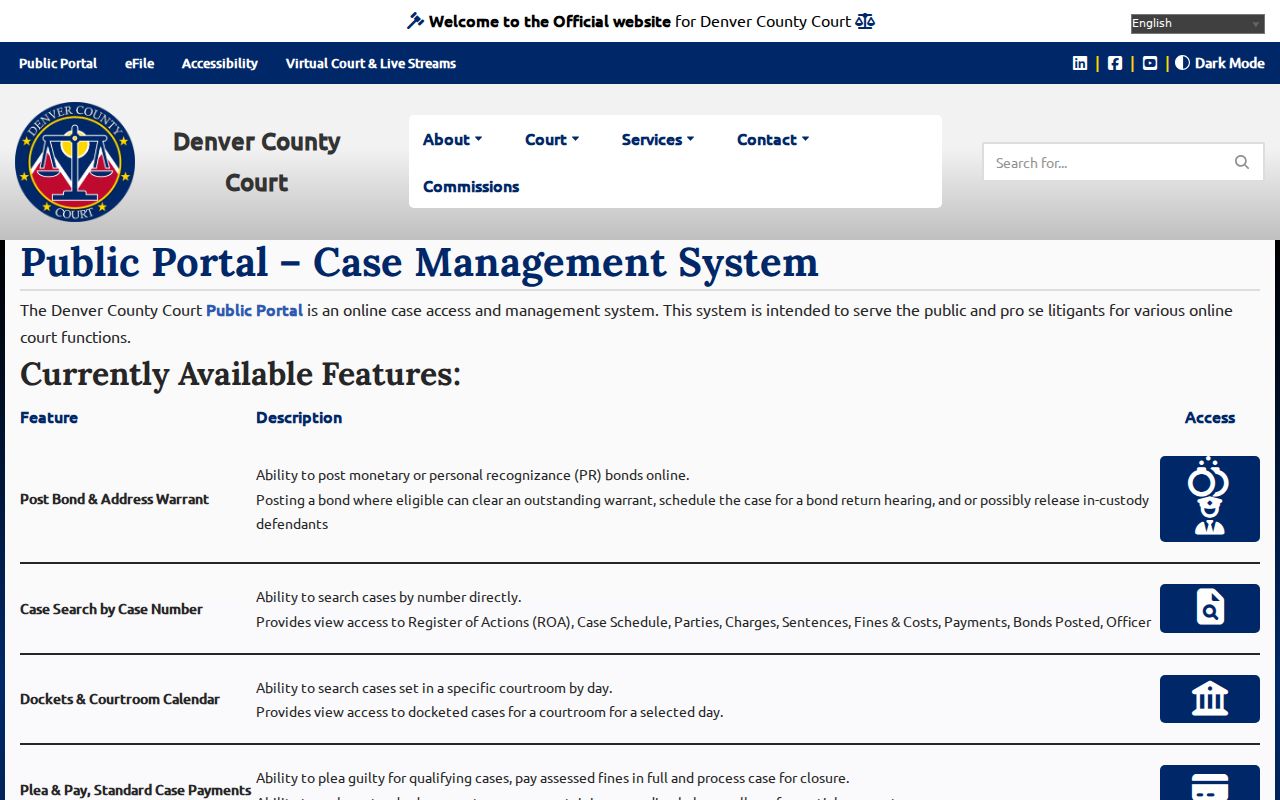
Denver County Court runs its own Public Portal. It is a free Denver County case search tool. It costs nothing to use. One catch: you need a valid case number to unlock the details. With that number in hand, the portal opens up real depth. Tabs cover the Case Schedule, Parties, Charges, Sentences, Fines & Costs, Payments, Bonds Posted, Officer, and the Register of Actions. Name searches are not offered across the public at large. Document images stay off the table.
The court's Public Portal overview shows its reach. It lays out every tool a Denver County case search can reach.
This portal was built locally and stands apart from Colorado Courts E-Filing. Reading a case and e-filing one are different tasks. An account in the filing system does not let you download public pleadings.
Searching by Case Number
Look at the number's shape before anything else. Denver County Court commonly uses GV, GS, or D forms. It also accepts an Arrest Booking identifier. In the Quick Search menu that option appears as “Arrest Booking (AB#).” The AB number usually sits at the upper right of a Unified Summons and Complaint. Type the chosen identifier into the query field exactly as printed. A good local match can open the ROA and the other case tabs. State-administered Denver cases follow a different pattern. A four-digit year comes first, then a case class and a sequence, like 2024CR1234. Enter those parts in the Colorado Judicial Docket Search. It will find a scheduled event. Never send a GV, GS, or D number through the state record form. The state itself gives a warning. Those Denver County Court numbers belong to the separately run local court.
Denver County Case Search Codes
The case-type code tells you the jurisdiction at a glance. CR usually marks a state District criminal case, CV a District civil case, and DR domestic relations. PR means probate. JD and JV mark juvenile classes. In the state system, C is county civil and M misdemeanor. S is small claims, and T traffic. The exact case still controls, of course. A quick read of the code can still stop you from hunting in the wrong Denver portal. County Court's GV, GS, and D identifiers run on the local system instead. That split flows from Denver's consolidated city-and-county structure and its separate court administration. Is the number faint or incomplete? Write down the year, code, sequence, party names, and any booking or ticket identifier before calling the clerk. Those facts let staff sort out the case without guessing.
Quick check: A state-style YYYYCR#### number points toward Denver District Court, while a Denver GV, GS, or D number points toward Denver County Court.
What a Case Search Returns
A County Court result gives you an index plus blocks of case information. The ROA is the dated event history. It may reference filings, settings, minute orders, rulings, disposition, and later activity, all without showing the documents themselves. Other tabs can add parties, charges, sentence, money, bonds, officer details, and the schedule. A state calendar result is narrower. It points to the coming or recent setting.
| Case Number | The court's unique identifier and the first clue to the owning Denver court. |
|---|---|
| Style / Parties | The caption or named roles displayed under public-access rules. |
| Case Type | The criminal, civil, domestic, probate, juvenile, misdemeanor, small-claims, or traffic class. |
| Schedule | The current and past settings shown for the local case. |
| ROA Events | Dated references to filings, hearings, minute orders, rulings, and disposition. |
| Status | The case or event state shown by the public interface, subject to later entries and access limits. |
A charge is an allegation. It is not an outcome, and a scheduled hearing is not a final ruling. Read the disposition and sentence fields when the result offers them, and ask the clerk for an authenticated copy when you need formal proof.
Denver County Case Search Fields
The local Quick Search gives two direct lookup types. Those are Case Number and Arrest Booking. Beside that direct route sit name-and-date forms with a different job. They discover active future court dates. Keep the two functions straight. A common Denver error is reading “no future date” as “no case.” The official Quick Search shows the identifier and future-date fields Denver County Court uses.
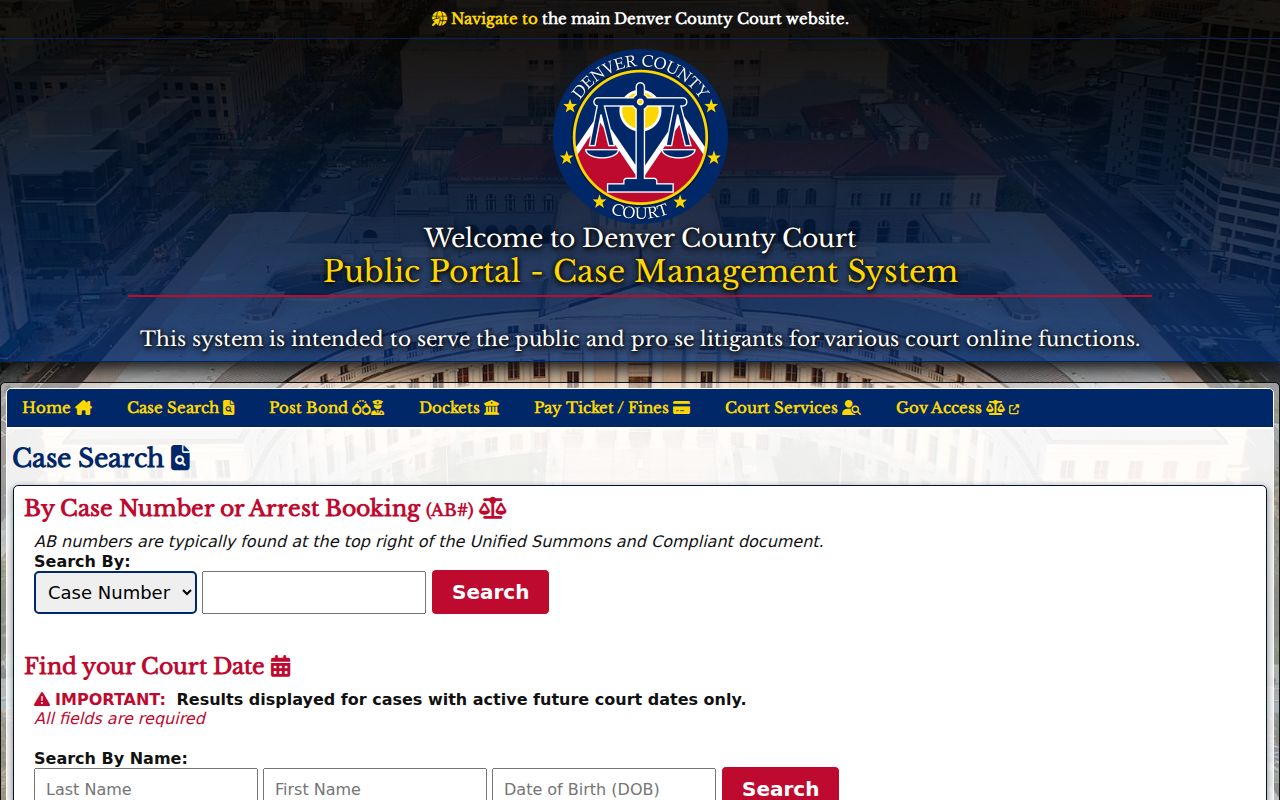
When a direct lookup works, save the exact court name and number along with the date you accessed it. When it fails, check spelling and format first. Then test whether the number belongs to another Denver court before concluding the record is restricted.
Denver County Future-Date Search Limits
A name search on the local Denver County portal answers one narrow question. It tells you whether those identity fields match an active future County Court setting. Nothing more. It will not surface old, closed, or inactive Denver County cases. The civil business option carries the same future-date limit. So it works well for tracking down a hearing when you lack the number, yet it can never prove that no historical Denver court record exists.
Suppose an active date should be there and the docket comes back empty. Try the case number or AB number if you have one. Then read the court name on your notice. A felony can begin with a County Court event. It can then move on to a District Court case. Bigger civil and domestic matters sit in District Court too. Probate and juvenile files live in separate Denver courts. Still stuck? Call the clerk for the right court.
Note: A blank future-date search proves nothing about sealing, dismissal, or the absence of a Denver court record.
Statewide vs County Case Search
Colorado offers no free statewide public ROA search through the Judicial Branch site. Its public Docket Search does share court settings. Contracted commercial services can run real-time statewide register searches. Their results are not the official court record, though, and carry no filed documents. For a County Court case with a known number, the free Denver portal gives you more. It offers more case-level structure than the state calendar. For Denver District, Probate, and Juvenile settings, that state search is the right free calendar layer.
| Feature | Colorado Judicial Docket Search | Denver County Court Portal |
|---|---|---|
| Coverage | State-administered court settings, filtered to Denver as needed | Separately administered Denver County Court cases |
| Best input | Date plus another filter, or state case-number parts | Valid local case number or AB number |
| Public depth | Hearing details and printable calendar results | ROA, schedule, and supported case-information tabs |
| Name route | Calendar filters and contracted register services | Active future-date discovery only |
| Documents | Request from the owning clerk | No public document images; request copies from the clerk |
Pick the system by court, not by habit. A known County Court identifier points to the local portal. A Denver state-court setting points to the state calendar. The Judicial Branch public-record access guide covers the Denver exception. It also covers the limits on contracted services. When neither number is known, a contracted register search may help. But only the correct clerk can hand you the official document or a certified result.
Denver County State Search Filters
The Colorado Judicial Docket Search asks for a date plus at least one more filter. Select the Second Judicial District or Denver. From there you can narrow the docket by courthouse, court type, division, party, attorney, or parts of a case number. Denver location choices split out District, Juvenile, and Probate. Date ranges run six months, three months, one month, one week, today, or a specific date you pick.
The state docket interface lays out those calendar filters. It also shows the result path for state-administered Denver cases.
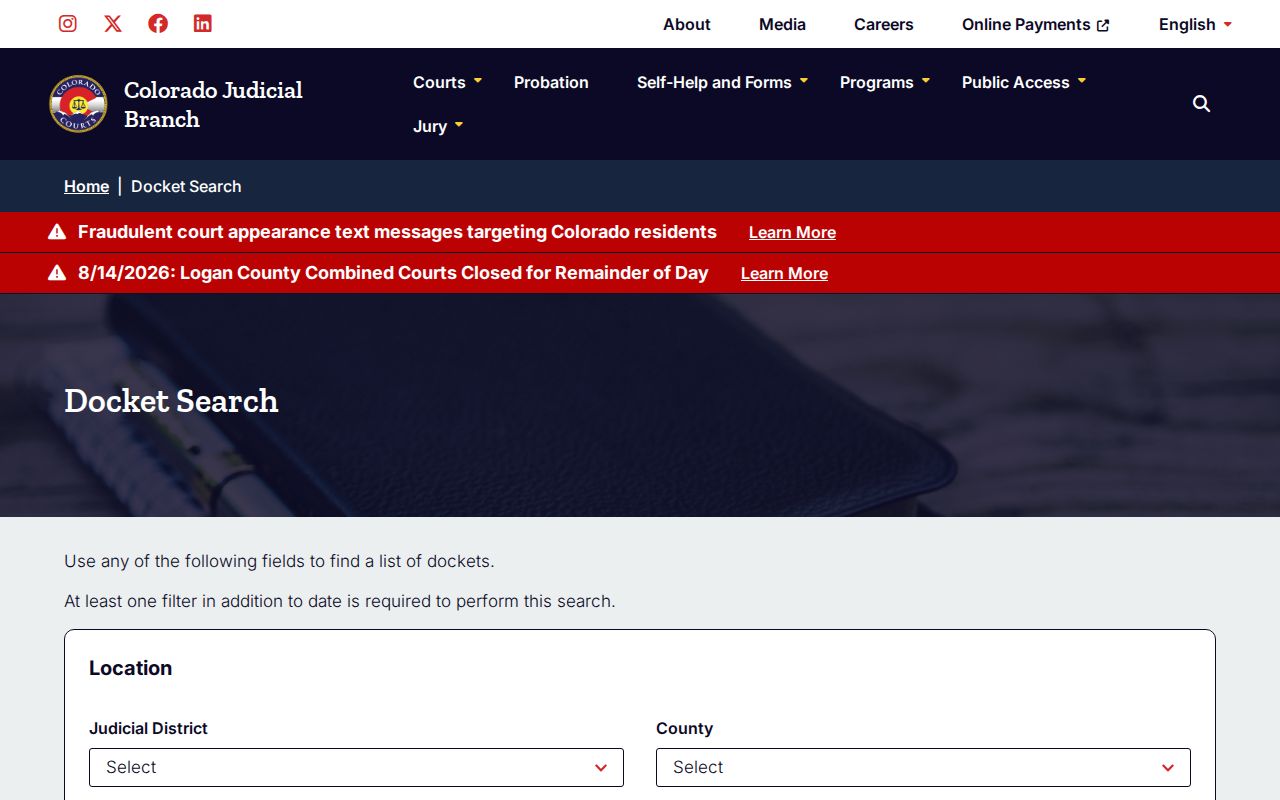
Each result can show hearing date and time, expected duration, caption, case number, hearing type, location, appearance type, and courtroom. Printable Version helps when you want a stable copy. Recheck it close to court, though. A later setting controls.
Denver County Case Search Fallbacks
No result does not mean a sealed case. Check the alternate Denver system first. Criminal and municipal County Court copies go to Room 160 at Lindsey-Flanigan, 520 West Colfax Avenue. You can also email 160records@denvercountycourt.org. Traffic and County Civil copies go to Room 135 at 1437 Bannock Street. Or write civil@denvercountycourt.org. The published clerk phones are 720-337-0410 for criminal and municipal work and 720-865-7840 for traffic and civil work.
Denver District Court takes records requests several ways. These include the state web request form, counter requests in Room 256, and email at denverdcrecordsrequest@judicial.state.co.us. Mail goes to the Room 256 address. Phone routing runs at 303-606-2300. Formal Denver County Court data requests go to coradatarequests@denvercountycourt.org. You can also use either clerk office, or mail at 1437 Bannock Street, Attn: Record Request, Denver, CO 80202. A phone call can route you. It will not count as a formal County Court data request, though. Put your email specifications in the body itself, not only in an attachment.
Denver County Case Portal Terms
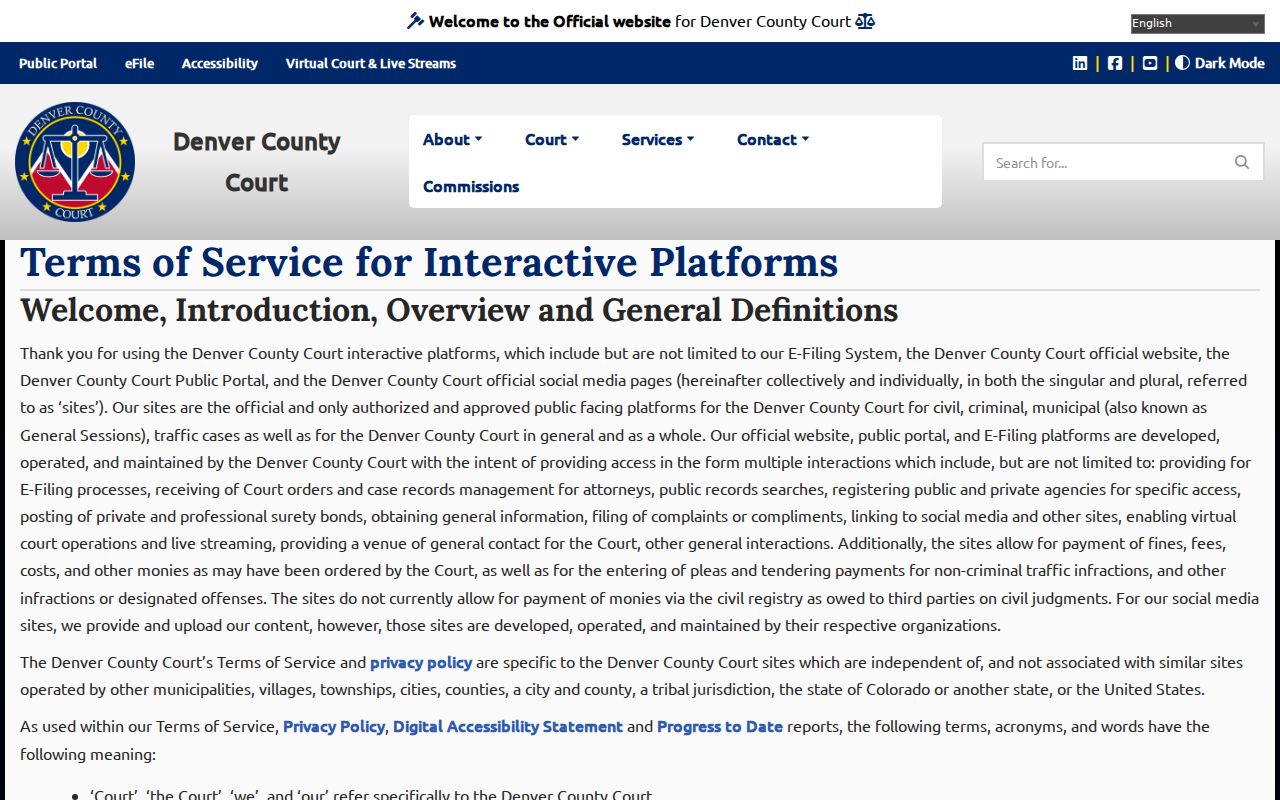
The local portal is an official court service. Still, the clerk holds the official record. Portal data can run incomplete or shift with maintenance, role, and security rules, and an online printout never becomes a certified copy. Reading a case is also different from account-based e-filing. Denver County Court's planned and evolving filing functions do not widen ordinary public access to protected identifiers or document images. The official Public Portal terms lay out ownership, account, fee, and permitted-use conditions.
Use the event history to find a filing or setting, then verify key facts with the clerk who originated it. That step matters most when a deadline, a required appearance, or an authenticated record request hangs on the answer.
Access and Restricted Cases
What you can see of a Denver County court docket depends on CJD 05-01. The other laws that govern public access matter too. Sealed Denver County Court cases stay out of ordinary public view. Parties, their lawyers, and certain agencies may still reach them. Suppressed state cases and protected documents can demand a government-issued photo ID. They can also demand proof of legal entitlement. Juvenile records sit under the Children's Code and court policy. Adoption papers and protected probate or family files may stay hidden too. That can hold even when the case around them is public.
Do not assume a blank field means nothing was filed. Identifiers get redacted. Cases land in the wrong portal. Old matters need retrieval, and the local name tool skips anything without an active future date. Check the case number and the court first. Then contact the clerk who owns the file. Ask what request, ID, or order applies. Knowing the case number alone does not unlock sealed content under the public access policy.
Denver County Search to Document
A docket search finds the event. It does not hand you the paper behind it. Pull the exact title and date of the complaint, motion, order, judgment, or disposition from the ROA. Give that description to the clerk who owns the case. Say whether you need a plain electronic copy, a paper copy, a certified copy, or an exemplified copy. Precise terms help the clerk find the right filing. They also cut down on needless research or redaction work.
Once you know the document, the wider Denver County court records process takes over. District Court paper requests may draw a response within three business days. That holds unless circumstances are unusual. County Court requests follow that court's own review and payment rules. A certified copy comes from the clerk only. Never from a portal or a contracted vendor. Keep the source court, case number, event title, and access date with any result you use to track the case.